Events Overview
The Events Overview gives you a high-level view of your event consumption across your organisation.
To access it, select Events from the sidebar — the Overview tab is shown by default.
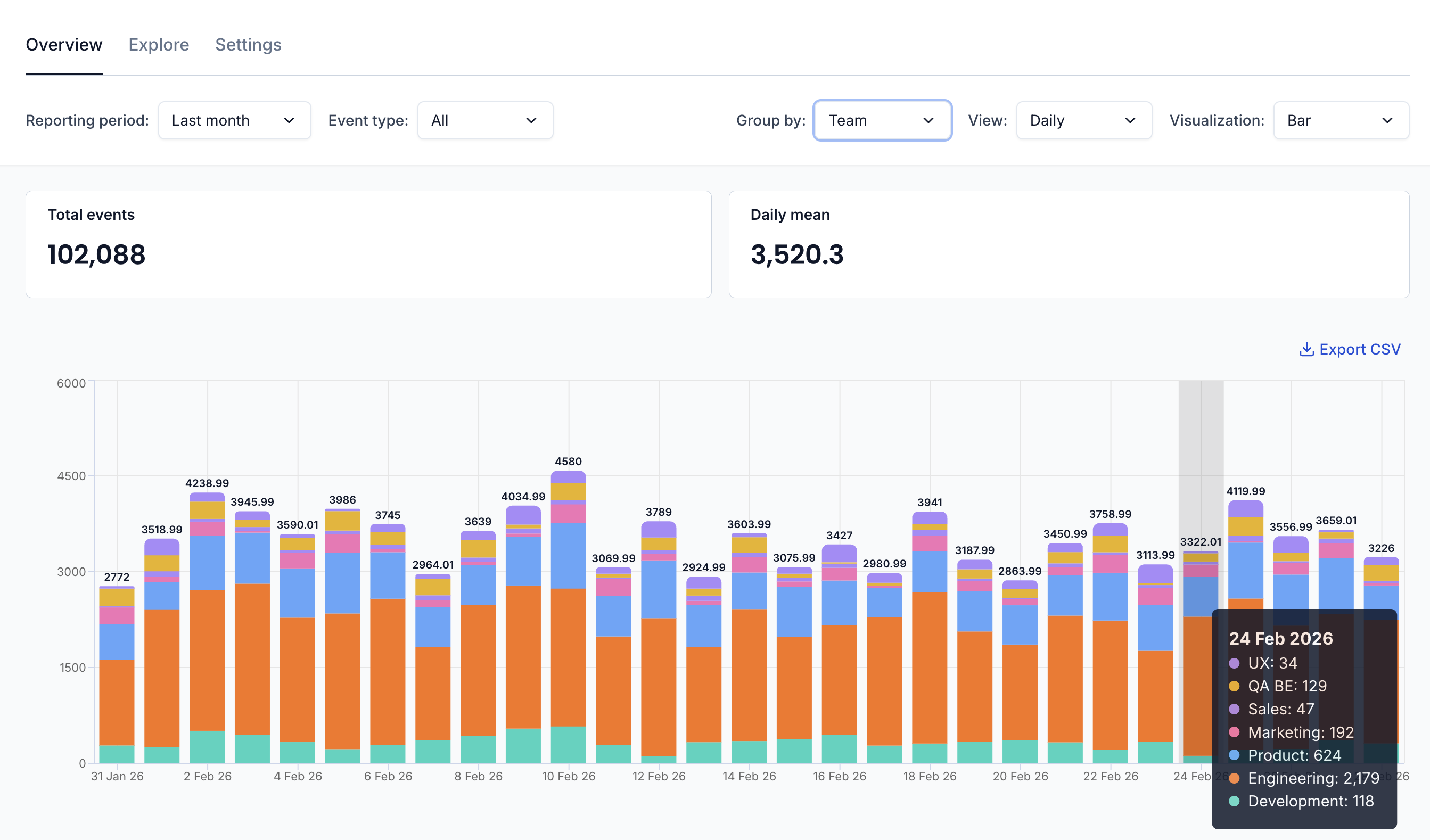
Summary Metrics
At the top of the Overview, two key metrics are displayed:
- Total events — The total number of events received during the selected reporting period
- Daily mean — The average number of events received per day during the period
Event Consumption Chart
The main chart visualises your event consumption over time as a stacked bar chart, broken down by team or application. This helps you understand which parts of your organisation are generating the most events and how consumption trends over time.
Filters
You can customise the view using the filter bar above the chart:
- Reporting period — Select the time range to analyse (e.g. last week, last month)
- Event type — Filter by event type or view all events
- Group by — View the Total event consumption or break it down by Team
- View — Switch between Daily values or a Cumulative view over time
- Visualization — Display results as a Bar chart or a Table
Exporting Data
Click the Export CSV link above the chart to download the raw event consumption data for further analysis.
Use Cases
The Events Overview is particularly useful for:
- Understanding consumption patterns — See how event volume is distributed across teams and applications
- Capacity planning — Monitor event growth over time to anticipate scaling needs
- Cost attribution — Identify which teams or applications are driving event consumption
- Debugging spikes — Spot unusual increases in event volume and trace them to a specific team or application