March 2026
Overview
This is a new release packed with new capabilities across the platform. Highlights include metric graphs everywhere, a brand new Events Dashboard, and the introduction of Warehouse Native support that lets customers plug ABsmartly directly into their data warehouse.
Metrics
Metric Graphs Available Everywhere
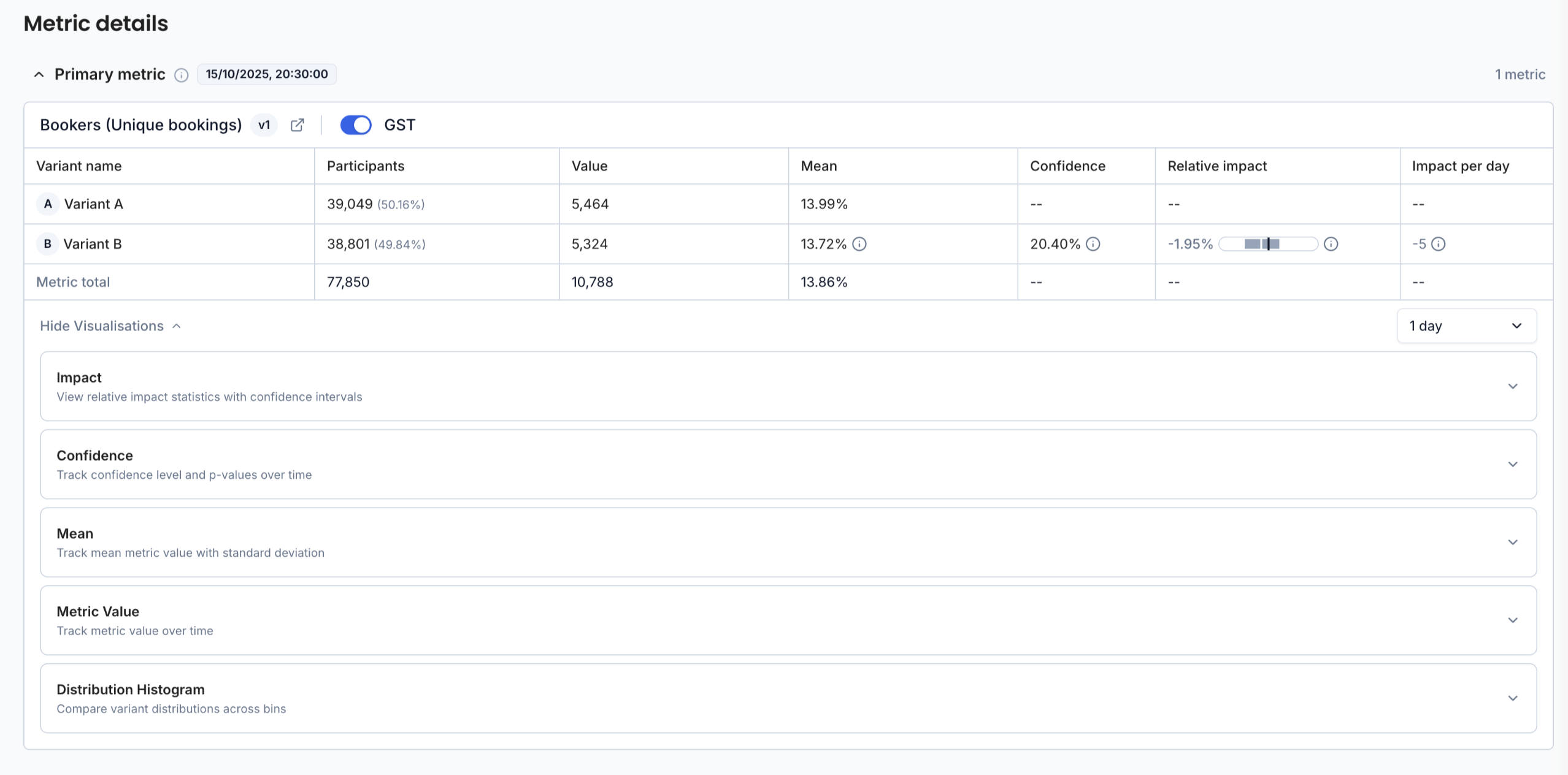
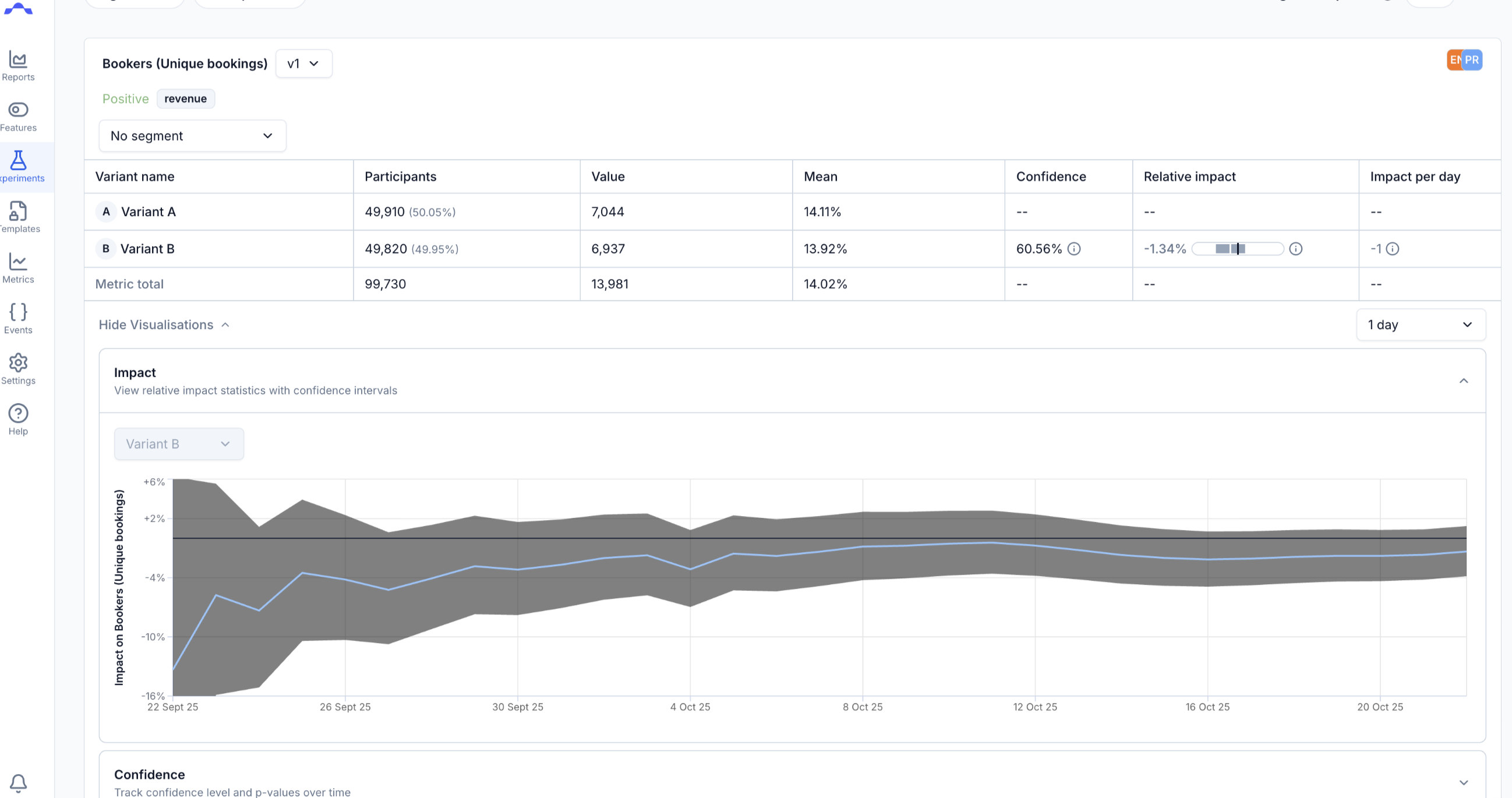
Until now, metric graphs were only available in Explore Metrics. With this release, you can visualize metric data wherever metrics appear across the platform, including on experiment results.
Graphs are generated on demand when you click show visualisation on any metric, so you can quickly explore the data without leaving your current workflow.
Five graph types are available:
- Impact — View relative impact statistics with confidence intervals
- Confidence — Track confidence level and p-values over time
- Mean — Track mean metric value with standard deviation
- Metric Value — Track metric value over time
- Distribution Histogram — Compare variant distributions across bins
Each visualisation can be expanded or collapsed individually, giving you full control over what you see without leaving your current workflow.
Favourite Metrics
You can now mark metrics as favourites, making it faster to find and access the metrics you use most often. The search algorithm has been improved to prioritise your favourites, so the metrics that matter to you surface first.
Improved Metric Catalog Search
The metric list now supports additional filtering options to help you navigate large catalogs more efficiently:
- Search by review state — quickly filter metrics by their approval status
- Filter by metric usage — see which metrics are used across different categories
Events
Events Dashboard
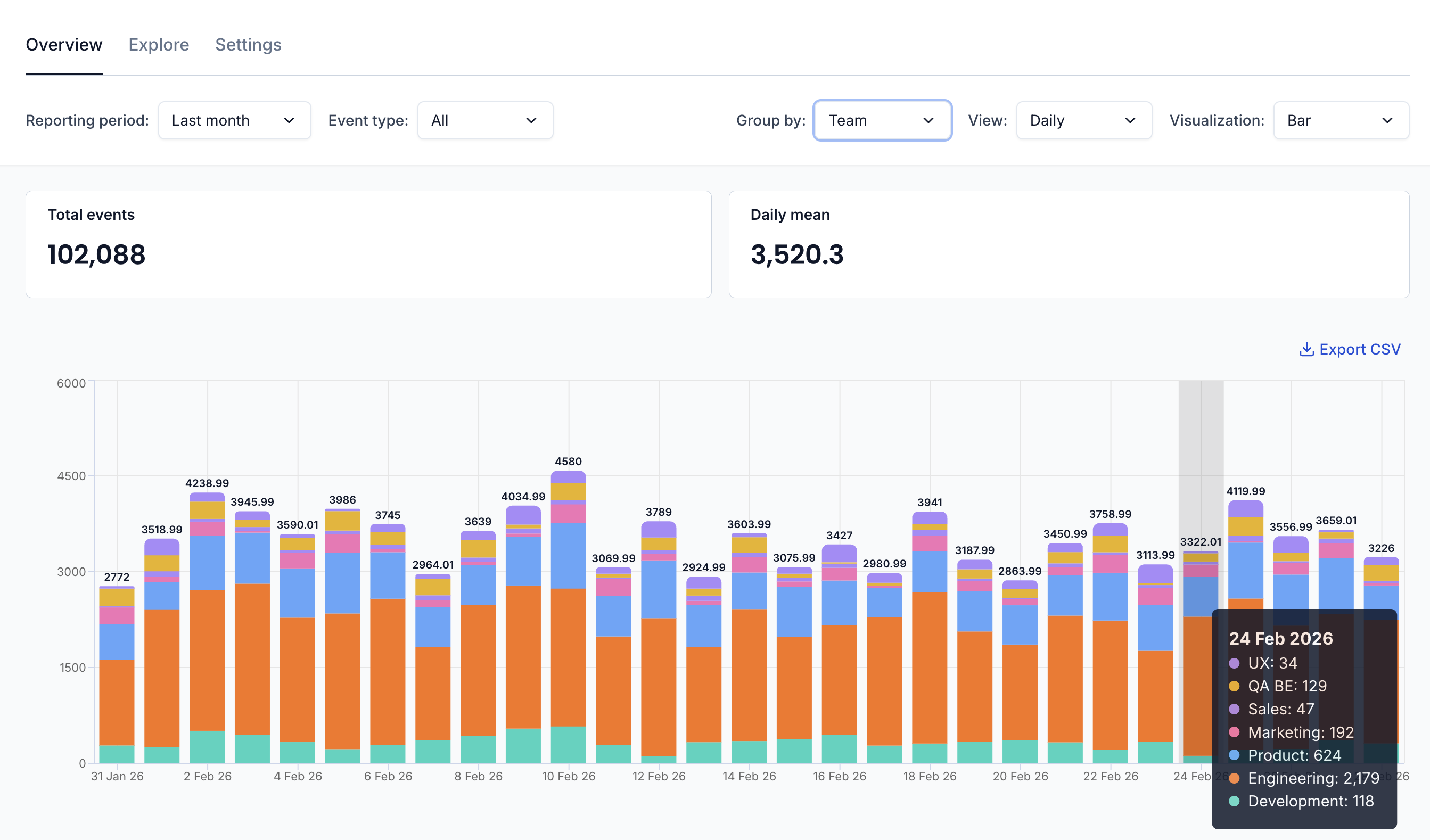
A brand new Events Dashboard gives you visibility into your event consumption, grouped by team or application. This makes it easy to understand which events are powering your experimentation program and how consumption is distributed across your organisation.
Experiments
Metric Limits
You can now limit the number of secondary, guardrail, and exploratory metrics allowed per experiment. Configure these limits in your settings page to keep experiments focused and prevent metric overload.
Feature Flags
Traffic Allocation
Feature flags now support traffic allocation. Previously, features were always rolled out to 100% of eligible users, you can now control what percentage of traffic is exposed to the feature.
Warehouse Native
ABsmartly now offers a Warehouse Native deployment option. Instead of the standard cloud setup, you can plug ABsmartly directly into your existing data warehouse — keeping your experimentation data where the rest of your data already lives.
Currently supported warehouses:
- BigQuery
- ClickHouse
- Snowflake
- Databricks
- Redshift
Reach out to our team if you want to learn more about Warehouse Native.
Currently, ABsmartly is available in either cloud or warehouse native deployment modes,
but we are working on launching a hybrid option that will allow you to use both in parallel. Stay tuned for updates on this.
Bug Fixes
This release also includes a number of stability and reliability improvements based on feedback from users.
Questions or Feedback?
We're always happy to help, so reach out if you have any questions or want to explore how to make the most of these new capabilities.