Create a new Goal
Manual
Goals can be created in the ABsmartly's console by navigating to Settings and then clicking on Goals.
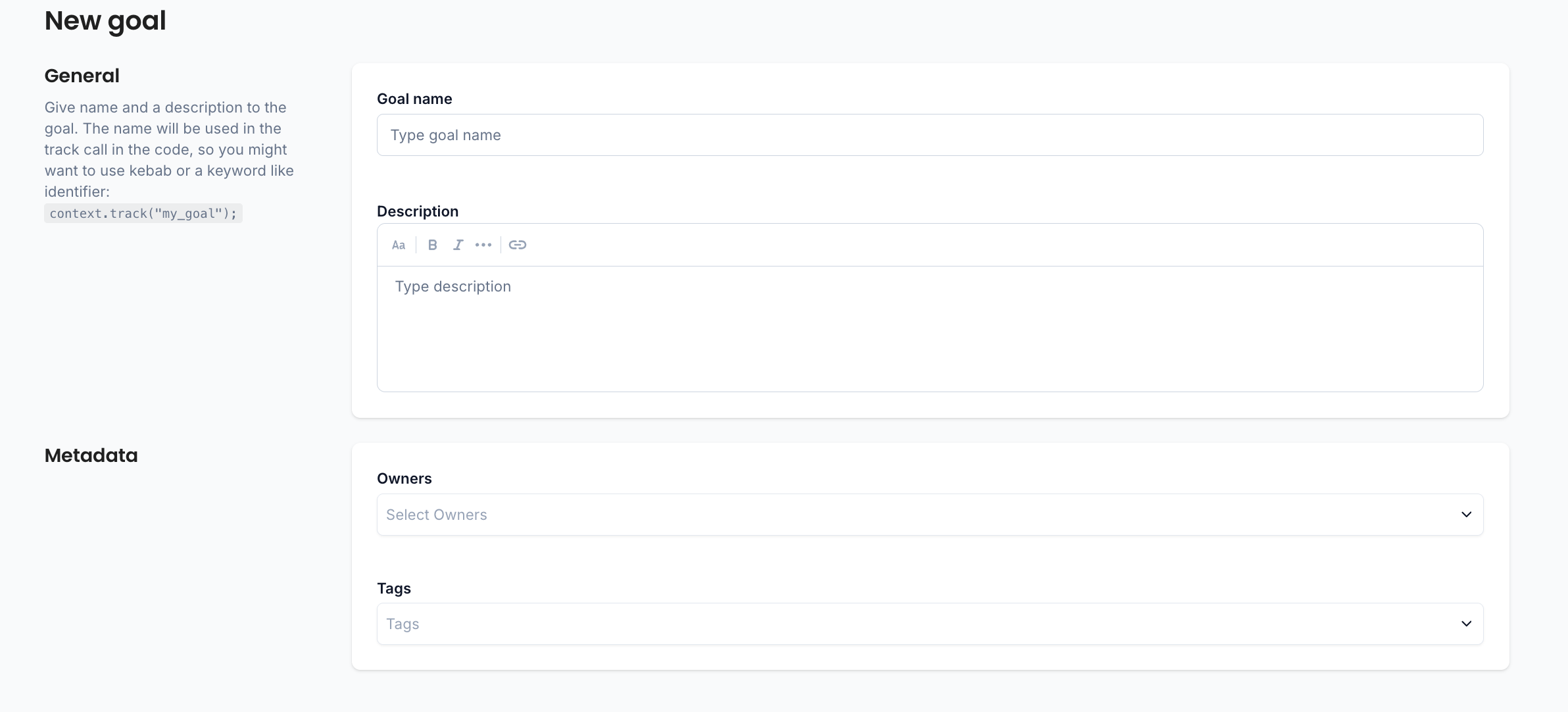
| Field | Description |
|---|---|
| Goal Name | The unique goal name. This is the name which needs to be used in when calling track |
| Description | Describes what this goal tracks. |
| Owners | The list of goal owners. Owners can be Teams or individuals. |
| Tags | Tags used to better describe the goal and improve discoverability. |
tip
Tags are useful for searching, filtering and classifying your goals. We recommend prefixing each tag with the tag's type. For example, location:Header, stack:Backend or psychological:Trust.
Auto-create
Goals can be created automatically when a goal event with a new goal name is processed by ABsmartly.
info
The feature must be enabled for your goals to be auto-created. When in doubt, reach out to ABsmartly Support.
caution
Auto-created goals do not have an owner. For governance reasons, make sure to claim ownership of a goal before you start using it.