Explore Events
The Explore tab is a powerful tool for debugging and inspecting individual goal and exposure events.
To access it, select Events from the sidebar and click on the Explore tab.
The Events List
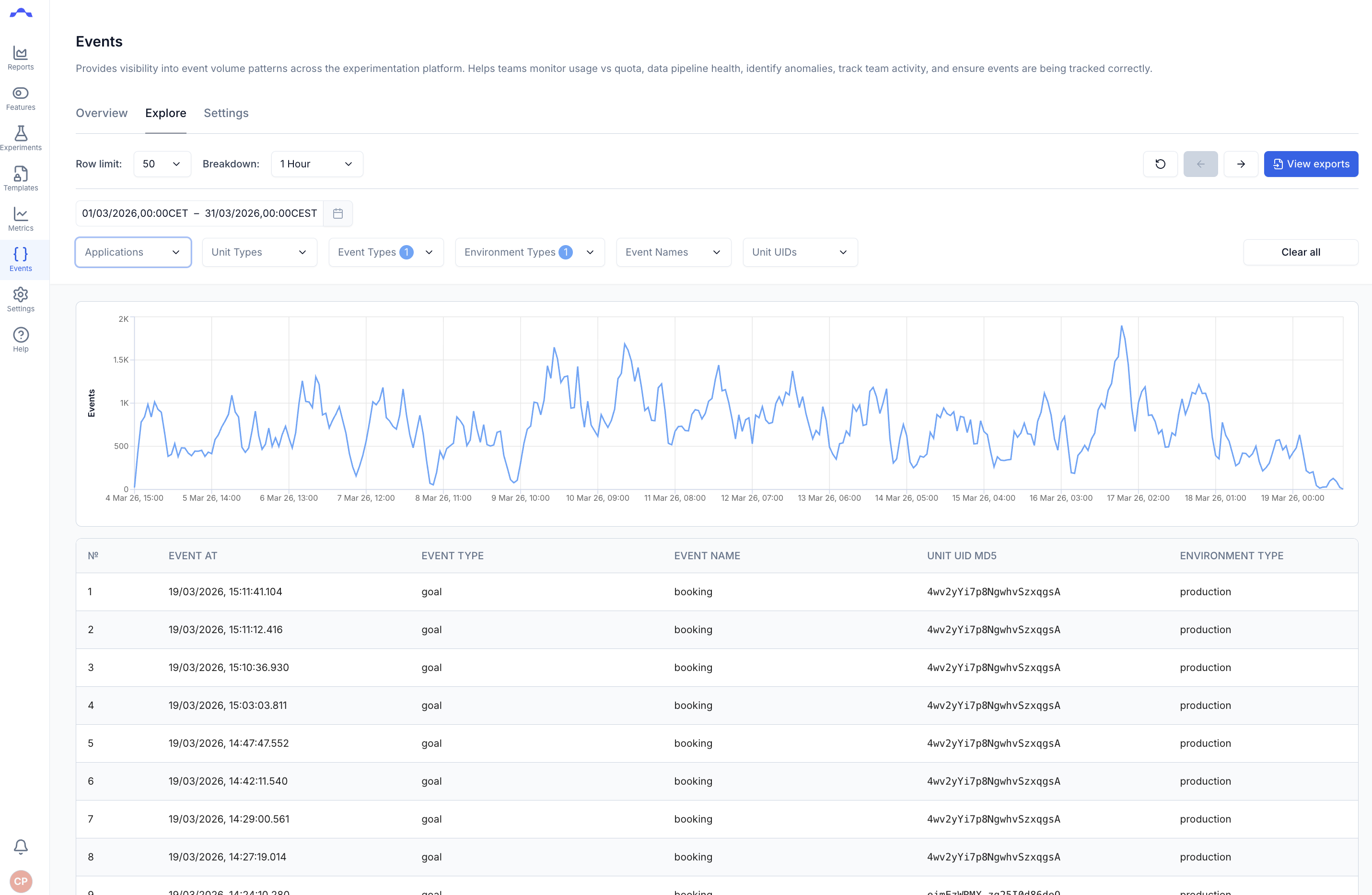
When opening the events page, you will be presented with a graph of your
incoming events and a list of the most recent ones. Events are split into
two categories - Exposures and Goals.
Exposure Events
Exposure events are sent by the SDKs when the treatment function is called.
The treatment function asks our platform which variant a participant should
see and returns a number between 0 and 3.
Goal Events
Goal events are sent by the SDKs when the track function is called, and they
include any properties that were passed along with it.
Raw Event JSON
Clicking on a single event will bring up a dialog box with the event's raw JSON data:
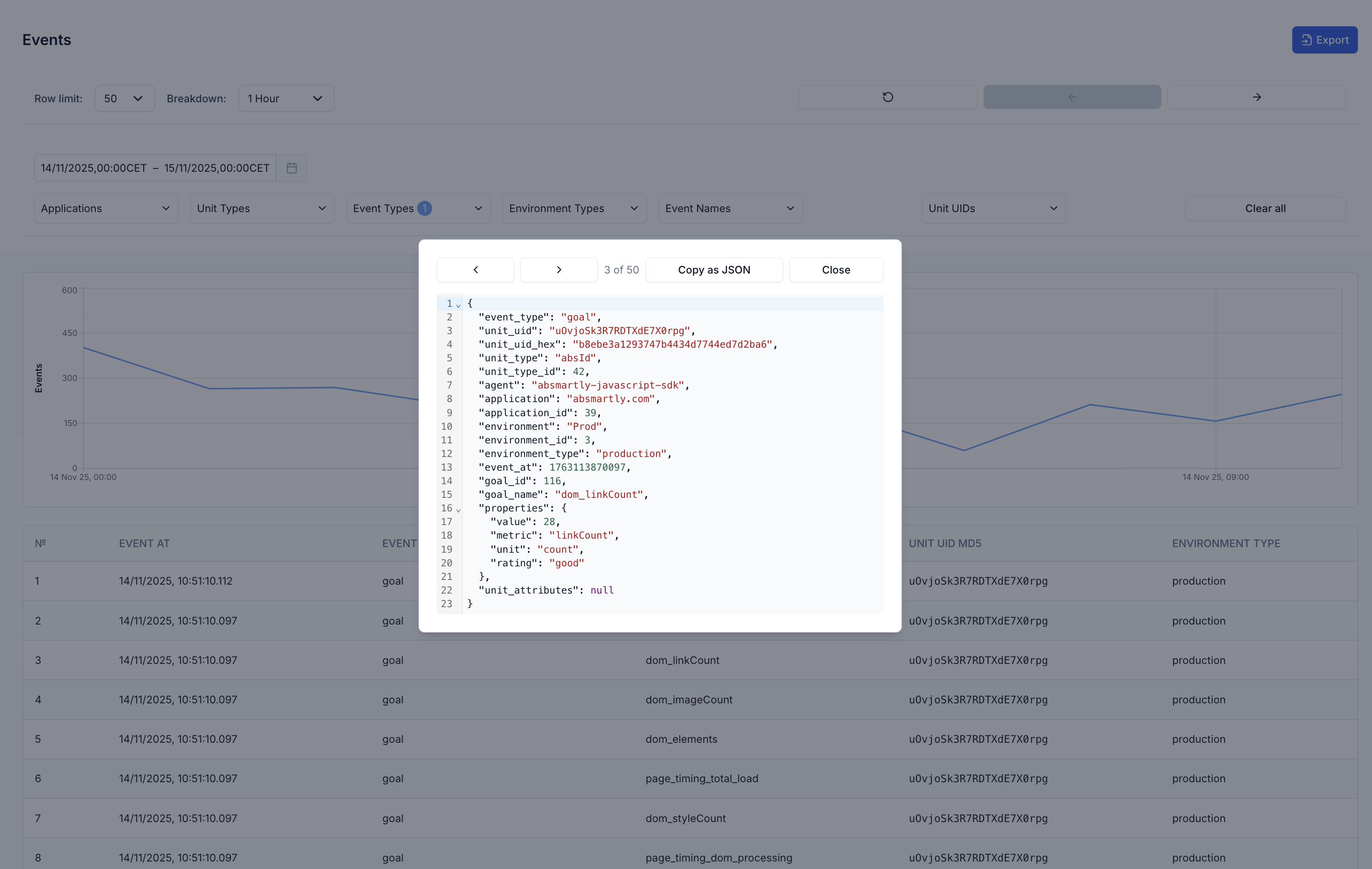
Check the Exposure events and Goal events pages for more details on those events
Events Filters
For debugging it can be useful to filter the incoming events to narrow them down to the specific events that you are looking for.
The available filters are as follows:
Application
Select the application(s) that you want to see events from. Applications are created and edited in the Dashboard Settings.
Unit Type
Select which unit types you want to see events from. Common unit types are user_id
or anonymous_id, but they could be anything depending on your setup. Unit
Types can be created in the Dashboard Settings.
Event Type
Filter your events to only show exposure events or goal events, as
described above. This filter can also be preselected by choosing a type when
clicking on the Events sidebar navigation.
Event Name
The event name can be extremely useful for debugging. For exposure events, the event name will be the name of the experiment that was exposed. For goal events, the event name will be the name of the goal that was tracked.
Environment Type
Choose whether to see events from either only Development environments or only Production environments. Both types of environment can be set up in the Dashboard Settings.
Unit UID
The Unit UID is the most specific form of filtering in the events page. As
mentioned above, each event will be sent with a unique unit - often user_id
or anonymous_id. These values, when passed into the SDKs, are hashed and
sent to our platform in an encrypted form. If you only want to see values that
have been sent by yourself, you can copy and paste your Unit UID hash into
this box and only your own events will appear in the list.
Downloading Events
See the downloading events page for a complete guide to downloading raw events.