Review and approve a metric
Overview
The Metrics Approval Workflow is an optional governance feature that introduces a peer review step into the metric lifecycle. When enabled, metrics must go through a review process before they can be activated and used in experiments.
This feature helps organisations enforce quality standards, catch definition errors early, and ensure that metrics added to experiments are accurate, well-defined, and aligned with business goals.
Enabling the Approval Workflow
The approval workflow is configured at the platform level under Platform Settings → Metrics Validation.
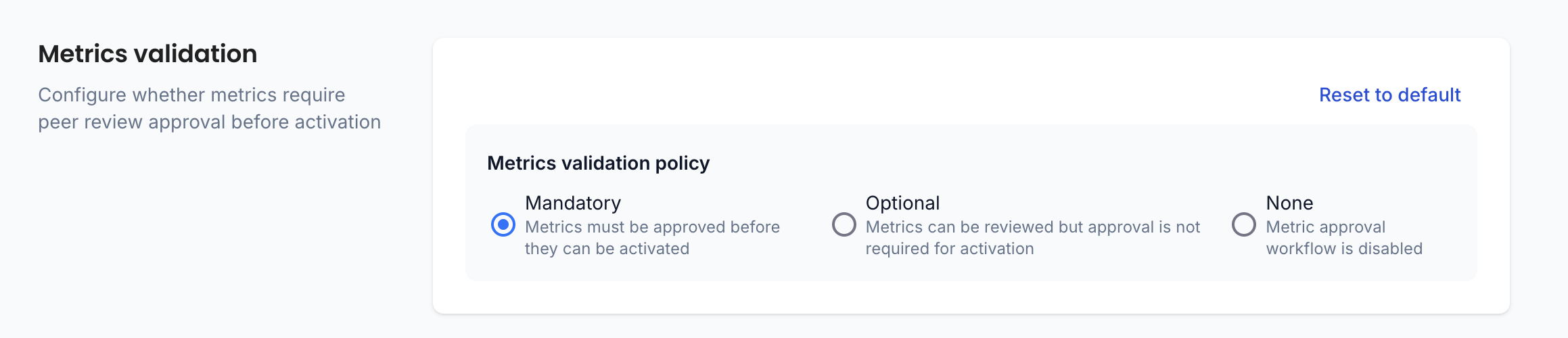
There are three policy options:
| Policy | Description |
|---|---|
| Mandatory | Metrics must be approved before they can be activated. No new metric can be used in an experiment without prior approval. |
| Optional | Metrics can be reviewed and approved, but approval is not required for activation. The workflow is available but not enforced. |
| None | The approval workflow is disabled entirely. Metrics can be activated without any review step. |
To change the policy, navigate to Settings → Platform Settings and select the appropriate option under Metrics validation policy.
When making the approval mandatory, only new metrics or new versions of metrics will be impacted. Metrics which are already active on the platform will remain active. It is nonetheless possible to request a review for already active metrics.
Approver Permissions
Granting approval permissions can be done at two levels: globally across the platform, or scoped to specific teams.
Global approval permissions
A new Approve permission has been added to the Metric asset. This permission can be added to any existing custom role and assigned at the platform level.
Users with the Approve permission at the global level can approve any metric across the entire organisation.
This is well-suited for centralised data or analytics teams who are responsible for maintaining metric quality across all teams.
Platform Admins can approve any metric across the organisation by default, without needing an explicit role assignment.
Team-level approval permissions

For organisations that prefer a more distributed governance model, approval permissions can be granted at the team level using the built-in Team Reviewer role.
A user with the Team Reviewer role in a given team can approve metrics owned by that team and, since team roles are inherited, any child teams as well.
Team Admin can approve any metric in their scope (team + child teams).
To assign the Team Reviewer role to a team member, navigate to the relevant team, click Add, select the member, and choose Team reviewer from the roles dropdown.
The Review & Approval Workflow
Requesting a review
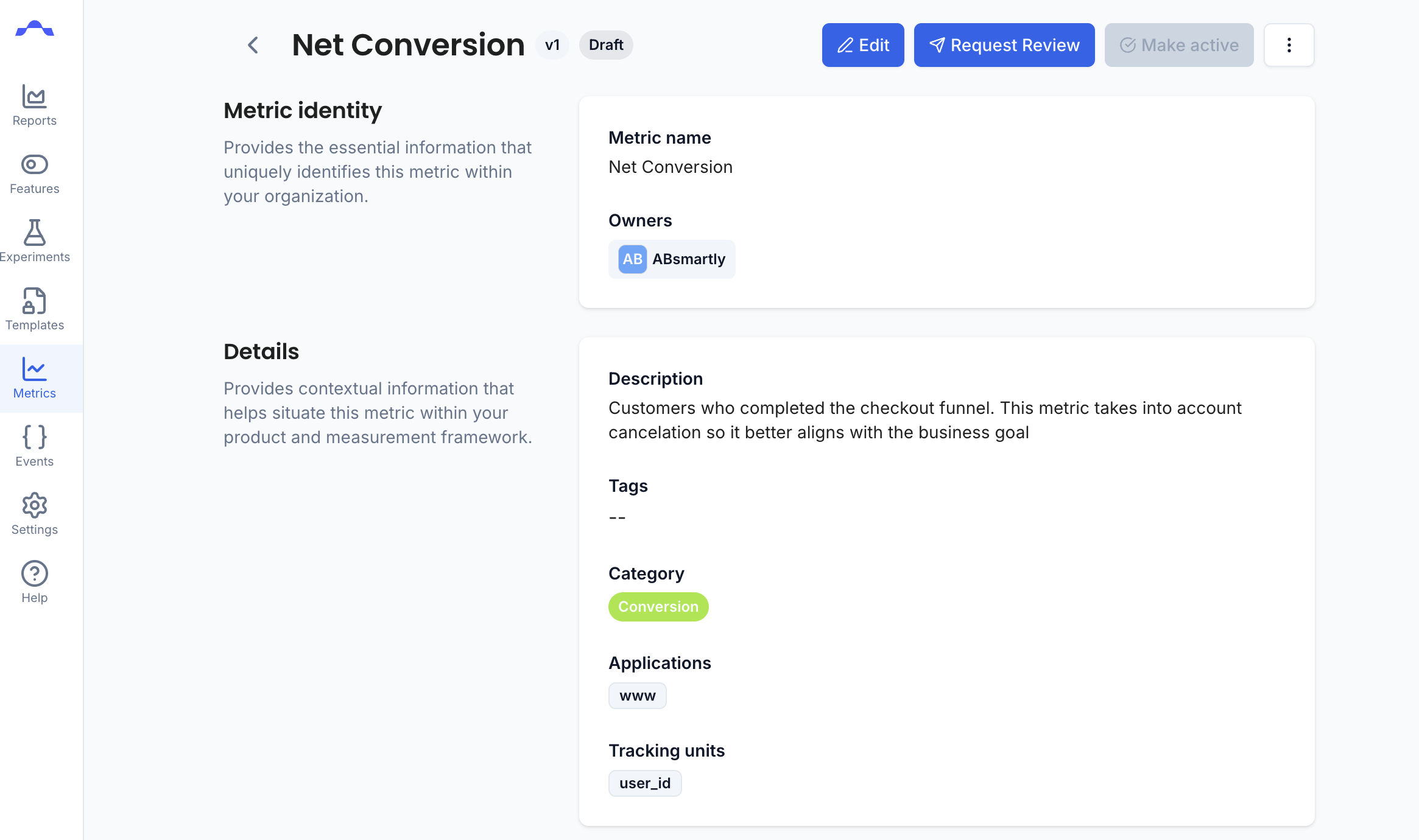
Every newly created metric, or new version of an existing metric, starts in Draft status.
While a metric is in draft or if it is active but has not yet been reviewed, a Request Review button is available at the top of the metric page.
Clicking Request Review submits the metric for peer review and moves it into a Pending Review state.
At this point, the metric is ready to be evaluated by an approver.
If the Metrics validation policy is set to Optional, the Make active button remains available on draft metrics. Metric authors can choose to activate a metric without going through the review process.
Reviewing a metric

Once a metric is in Pending Review, a Review button becomes available on the metric page, making it accessible to reviewers.
Any user with Edit permission on the metric can open the review and leave comments,
this allows team members beyond just designated approvers to participate in the quality review process.
Metric owners can reply to comments and address any issues raised while the metric remains in draft.
Leaving comments and participating in a review is open to any user with edit access to the metric. However, only users with the Approve permission can formally approve the metric.
Approving a metric
Once the review is complete, the metric can be formally approved. Only users with the Approve permission — whether granted globally or through a team role — can approve a metric.
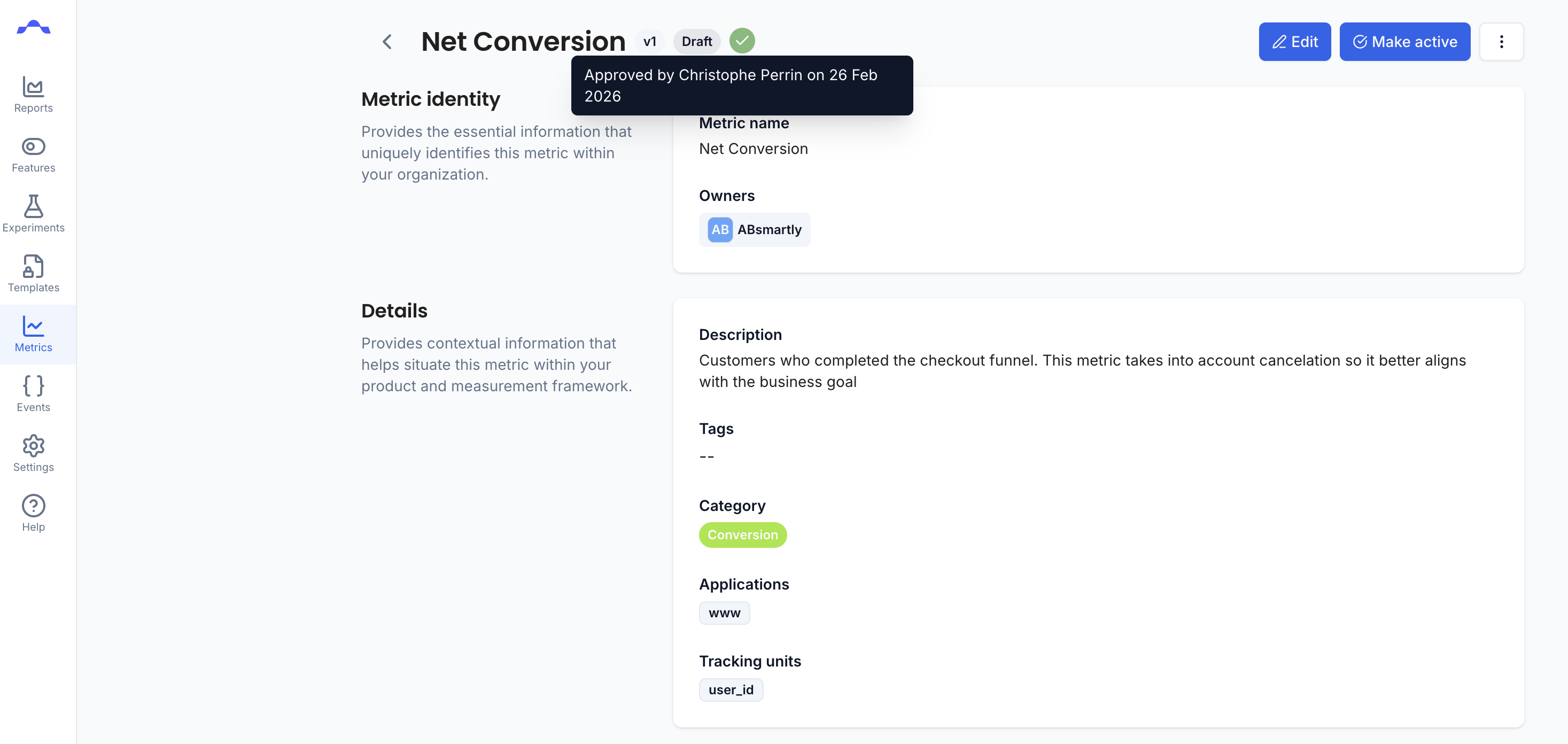
Once approved, the metric is ready to be activated and added to experiments.
Next Steps
After a metric is approved, click the Make active button on the metric page to activate it.
Once a version of a metric is made active, it becomes the only version that can be added to experiments. All previous versions of that metric are automatically deprecated and can no longer be selected for new experiments.